
how to fix car alternator whine noise in speakers usually comes down to one thing: your audio system is picking up electrical noise from the charging system, then amplifying it along with your music.
If you’ve ever heard a high-pitched “eeee” that rises and falls with engine RPM, that’s the classic pattern, and it’s frustrating because it can make an otherwise good setup sound cheap.
The good news is you can often solve it with basic checks and a few targeted changes, without replacing half the system. The trick is diagnosing where the noise enters, power, ground, signal path, or the head unit itself.
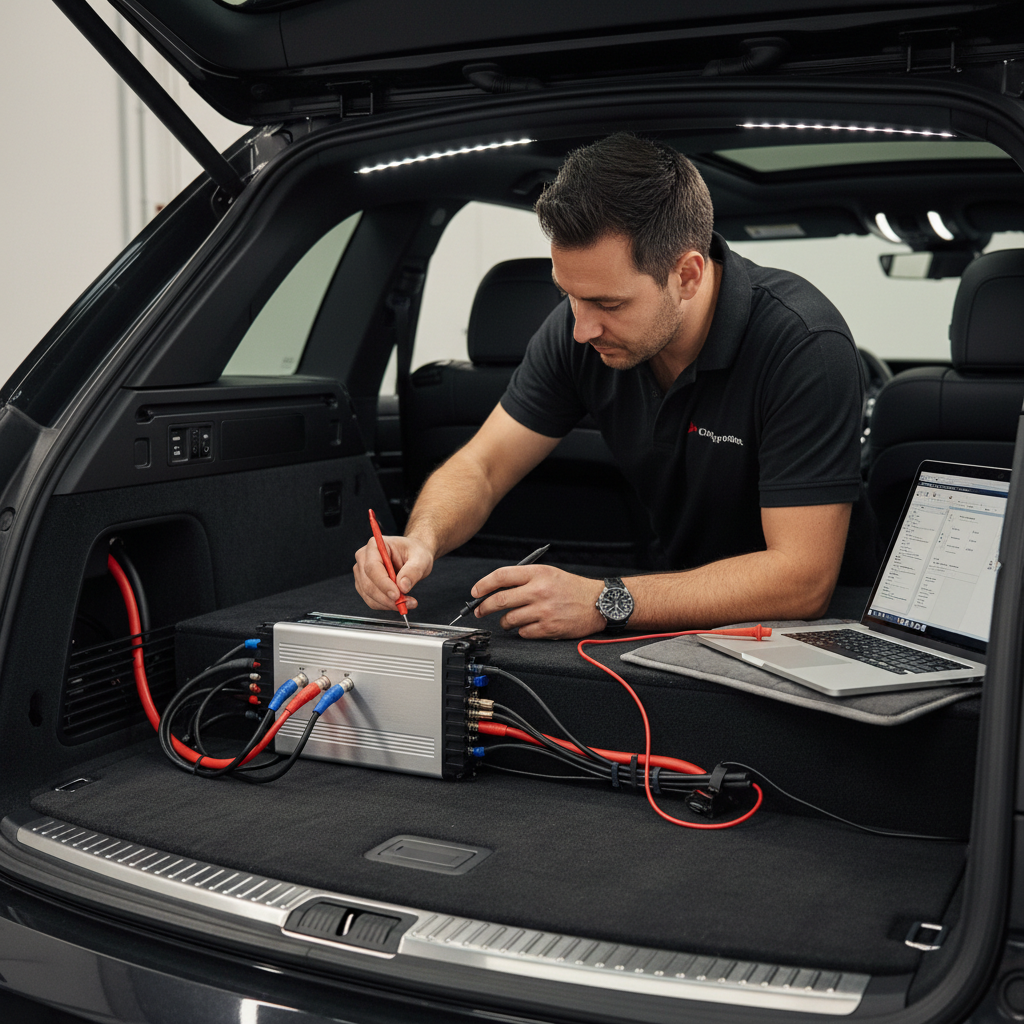
What alternator whine sounds like (and what it usually isn’t)
Alternator whine is a narrow, high-frequency tone that tracks engine speed. Rev the engine, the pitch climbs, let off, it drops. That RPM link matters because it separates whine from random buzzing or speaker damage.
Common look-alikes include:
- Hiss that stays constant with volume changes, often gain structure or a noisy source.
- Popping/clicking when accessories switch on, sometimes a relay, a poor connection, or a grounding issue.
- Rattle at certain bass notes, usually a loose panel or speaker mounting problem.
So if the sound clearly follows RPM, you’re in the right place.
Why alternator whine gets into your speakers
In most installs, the alternator is not “sending noise to the speakers” directly, it’s introducing voltage ripple and ground potential differences. Your audio gear then treats that noise like part of the signal.
- Bad or mismatched grounds: different components grounded at different points can create a ground loop, and the loop “carries” noise.
- RCA cables too close to power wiring: long parallel runs next to power cable can pick up interference, especially with cheaper RCAs or poor routing.
- Amplifier gain too high: high gain doesn’t create whine, but it makes a small problem loud.
- Head unit or processor noise floor: some sources output a noisier preamp signal, especially if the RCA shield is damaged.
- Charging system issues: a failing alternator diode or weak battery can increase ripple and make noise easier to hear.
According to Crutchfield and other established car audio resources, grounding quality and cable routing are among the most common contributors to system noise, especially after adding an amplifier.
Quick self-check: find where the noise enters (10–20 minutes)
You don’t need special tools to narrow this down, but a basic multimeter helps. The goal is to isolate whether the noise comes from the source, the signal cables, or the amp/power.
Step 1: Does it change with volume?
- Gets louder when you raise volume: often upstream (head unit, RCA path, processor).
- Stays about the same: often amplifier power/ground, or a ground loop.
Step 2: Pull RCAs at the amplifier (engine on)
- Whine stops: noise is coming through the signal path (RCAs/head unit/processor).
- Whine remains: noise is likely in amp power/ground, speaker wiring, or the amp itself.
Step 3: Try a different source input (if you can)
- Switch to Bluetooth vs AUX vs radio. If one source is clean, the issue may be the input or adapter, not the alternator.
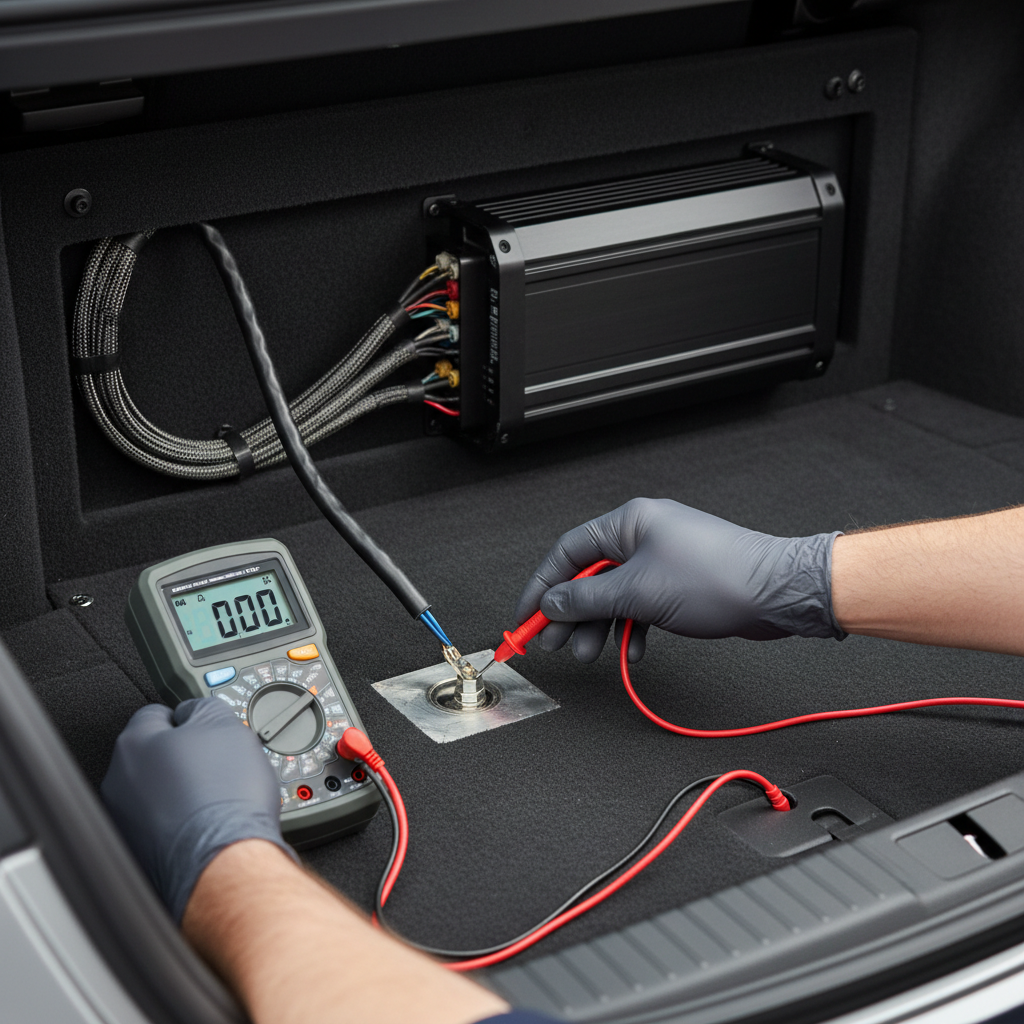
Step 4: Basic ground sanity check
- Amplifier ground wire should be short (many installers aim for under ~18 inches) and bolted to bare chassis metal.
- Check for paint, seam sealer, rust, or thin sheet metal that flexes.
If you’re trying to figure out how to fix car alternator whine noise in speakers efficiently, these isolation checks keep you from randomly buying parts.
Fixes that work in the real world (start with the highest-probability)
There are a dozen “tips” online, but most successful fixes fall into a few buckets. Start with the ones that change the electrical relationship between components, not the ones that just hide the symptom.
1) Re-do the amplifier ground the right way
- Move ground to a solid chassis point, sand to bare metal, then use a star washer to bite into the metal.
- Match ground wire gauge to power wire gauge.
- Keep the ground wire short and avoid grounding to seat bolts if the bracket is insulated or painted.
This single step solves a lot of installs, especially after a trunk amp add-on.
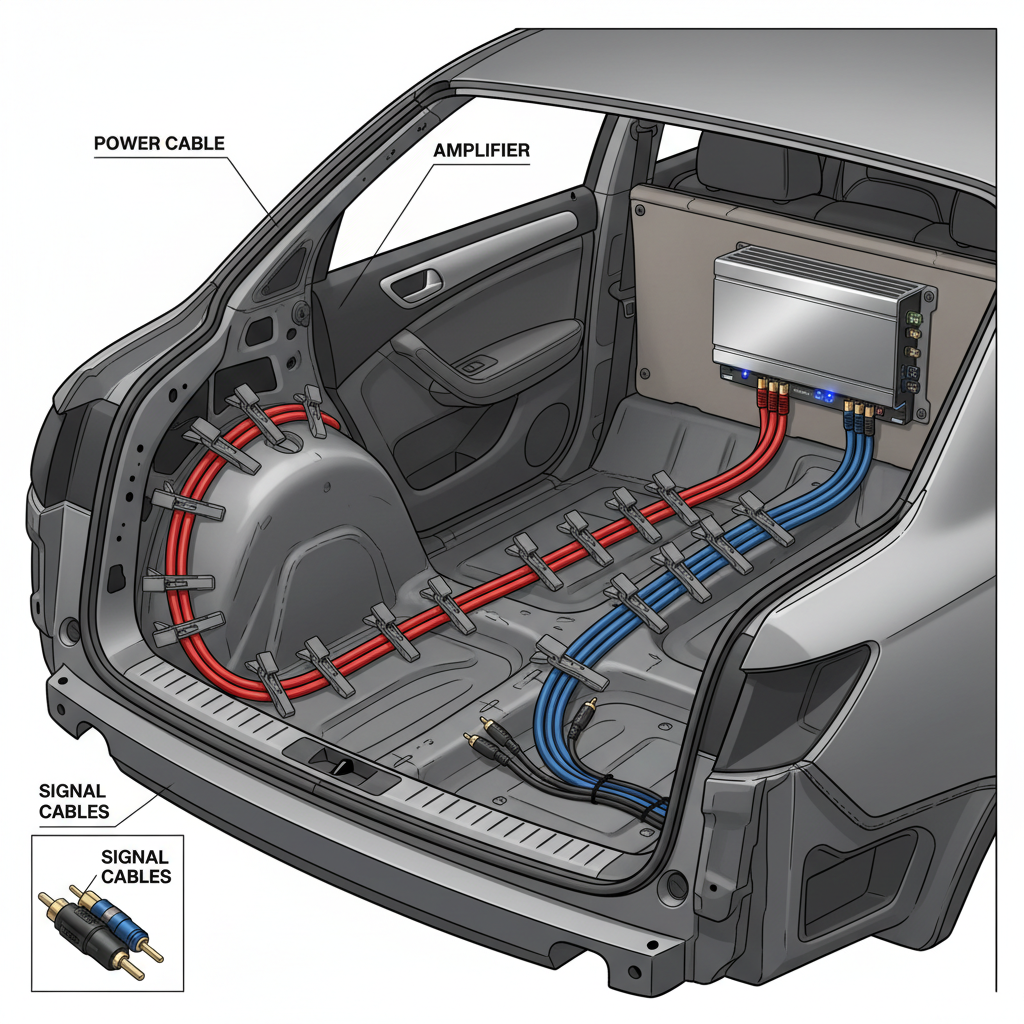
2) Separate power and signal runs
- Run the power cable down one side of the car, RCAs down the other side.
- If they must cross, cross at 90 degrees rather than running parallel.
- Avoid routing RCAs next to factory harnesses that feed fuel pump or high-current loads when possible.
3) Fix gain structure instead of “cranking gains”
- Lower amp gain and raise head unit volume to a clean level (without distortion).
- If you use a LOC, confirm it is not clipping its output, then set amp gain from there.
High gain often makes you think the alternator is “loud,” when it’s really a small noise getting magnified.
4) Check RCA quality and RCA shield issues
- Swap in a known-good set of RCAs as a test, not as a blind upgrade.
- Inspect for pinched cables and loose RCA ends.
- If the head unit’s RCA ground is damaged, you may get noise no cable can fix.
5) Add a ground loop isolator only after diagnosis
Ground loop isolators can help in specific situations, especially on low-level signals, but they can also reduce bass or add distortion depending on quality. Use them when you’ve confirmed the noise is in the signal path and you can’t re-ground or re-route cleanly.
According to Rockford Fosgate guidance on system setup and noise troubleshooting, you typically want to correct installation and grounding issues before relying on add-on filters.
Charging system and power upgrades: when they matter (and when they don’t)
It’s tempting to blame the alternator immediately. Sometimes that’s fair, but many systems whine even with a healthy alternator because the install creates a path for noise.
Still, these are worth checking when whine persists:
- Battery health: a weak battery can make voltage less stable under load.
- Alternator diode/ripple issues: if you also see dimming lights or odd electrical behavior, get the charging system tested.
- Big 3 upgrade (battery negative to chassis, engine block to chassis, alternator positive to battery): can reduce voltage drop and improve grounding, but it’s not a guaranteed “noise cure.”
If you’re not comfortable working around high-current wiring, a reputable car audio shop or mechanic is the safer route. Incorrect fuse placement or loose power connections can create real fire risk.
Diagnosis-to-fix table (quick reference)
Use this as a shortcut once you’ve done the isolation steps.
| What you observe | Most likely cause | Fix to try first |
|---|---|---|
| Whine changes with RPM, stays similar with volume | Amp ground/power noise | Re-do amp ground, check power/ground tightness |
| Whine stops when RCAs are unplugged at the amp | Signal path or head unit issue | Re-route RCAs, test with different RCAs, inspect head unit RCA ground |
| Whine appears after installing a LOC | LOC grounding/output level problem | Re-ground LOC, lower LOC output, verify clean speaker-level input |
| Noise only on AUX adapter/phone charger | Accessory-induced ground loop | Try different charger, isolate AUX, use Bluetooth, add isolator if needed |
| Electrical issues beyond audio (lights flicker, charging warning) | Charging system fault possible | Have alternator/battery tested, inspect grounds |
Common mistakes that waste time (or make it worse)
- Throwing a noise filter on the power wire immediately: it may mask the symptom, but the underlying ground problem stays.
- Grounding to painted metal: it “looks tight” but acts like a resistor.
- Using multiple random ground points: mixing chassis points often increases the chance of a loop.
- Running RCAs next to the main power cable: especially for long runs in SUVs and trucks.
- Chasing the alternator first: alternators do fail, but install issues are more common in many setups.
Key takeaways: fix grounding quality, separate signal and power paths, and confirm the noise source before buying parts. That’s the fastest path when you’re learning how to fix car alternator whine noise in speakers.
When to get professional help
If you’ve reworked grounds and routing and the whine still tracks RPM, it may be time to involve a pro, especially when any of the following are true:
- You suspect alternator ripple or charging faults and don’t have test equipment.
- The head unit RCA output or internal grounding may be damaged.
- Your system uses multiple amps, DSP, aftermarket infotainment integration, or complex factory amps.
- You see heat at connections, melted insulation, or blown fuses, shut it down and have it inspected.
According to SAE International general electrical best practices for automotive environments, secure connections and proper conductor sizing matter for both reliability and safety; if your wiring plan feels uncertain, a qualified installer is a smart investment.
Practical “do this next” plan
If you want a simple path without getting lost in theory, this sequence tends to work:
- Do the RCA-unplug test to split signal vs power/ground.
- Re-do the amp ground on bare chassis, short run, correct gauge.
- Re-route RCAs away from power, cross at 90 degrees if needed.
- Set gains properly after the noise is reduced, not before.
- Only then consider an isolator or charging system testing.
Once the whine is gone, lock it in: zip-tie routing, re-check bolt tightness after a week or two, and keep power connections clean and dry.
Conclusion
Alternator whine is annoying, but it’s rarely mysterious. When you approach it as a routing and grounding problem first, you usually find a clean fix without swapping expensive gear.
If you only do two things today, make them these: isolate the noise with the RCA test, then rebuild the amplifier ground properly. Those two steps solve a large share of real installs.
FAQ
How do I confirm it’s alternator whine and not a bad speaker?
If the pitch rises and falls with RPM, it’s typically electrical noise. A damaged speaker more often crackles, distorts on bass, or rattles at certain frequencies regardless of engine speed.
Will a capacitor fix alternator whine?
In many cases, no. A cap may help with brief voltage dips on heavy bass hits, but whine is usually about grounding or signal routing. It can be worth addressing power stability, but it’s rarely the first fix.
Why does the noise stop when I unplug the RCAs?
That points to noise entering through the signal chain, such as RCA routing near power wiring, a noisy source, a LOC issue, or sometimes a head unit RCA ground problem.
Can a cheap phone charger cause whining through AUX?
Yes, that happens. Some chargers introduce noise into the phone’s ground reference. Testing with a different charger, using Bluetooth, or adding an isolator on the AUX line often narrows it down quickly.
Should I ground the amp to the battery negative terminal?
Some builds do, but it’s not automatically better. A solid chassis ground close to the amp is common and effective when done correctly. If you change grounding strategy, do it deliberately and keep grounds consistent.
Does upgrading RCA cables always fix it?
Not always. Better shielding can help, but if the real issue is a poor ground or bad routing, expensive RCAs won’t solve it. Swap-test with a known-good set before you buy.
Is it safe to keep driving with alternator whine?
The noise itself is usually not a safety issue, but the wiring conditions causing it can be. If you notice hot wires, a burning smell, loose power connections, or repeated fuse blows, stop using the audio system and have it checked.
If you’re still chasing whine after the basic tests, it may help to map your exact signal flow and wiring layout, head unit or factory integration, LOC/DSP, amp locations, ground points, and cable paths, because a targeted plan beats guesswork every time.