
how to change car battery without losing radio presets comes down to one thing: keep a small amount of power flowing to the car’s memory while you swap batteries, or be prepared to restore settings afterward.
People usually notice the problem after the fact, when the radio forgets stations, the clock resets, and in some vehicles the window auto-up or steering angle sensor needs a relearn. It’s not the end of the world, but it’s annoying, and sometimes it triggers warning lights that make you wonder if you broke something.

This guide walks you through the practical options that work in most US vehicles, how to pick the right method for your car, and what to do if you still lose presets. I’ll keep it grounded, because some cars are simple and others are picky.
Why radio presets get wiped during a battery swap
Most modern cars store radio presets, clock settings, and various learned values in modules that expect constant low power. When the battery disconnects, that “keep-alive memory” can drop, and the module resets to defaults.
- Radio/infotainment memory may lose AM/FM presets, EQ settings, Bluetooth pairings.
- Body control module behavior can change briefly, like one-touch windows needing initialization.
- Some vehicles store security or anti-theft logic; you may need a code, PIN, or a pairing step after power loss.
According to NHTSA, vehicle electronics and safety systems rely on correct operation and maintenance, so if your dash lights or safety features behave oddly after a power loss, it’s worth following the manufacturer procedure or getting help.
Quick self-check: which “preset-saving” method fits your situation?
Before you buy anything or start pulling cables, take 2 minutes and decide what you’re working with. This avoids the common mistake of using a method your car doesn’t support.
- You have a standard 12V battery and easy access: a memory saver tool usually works well.
- You drive a newer car with complex electronics (common in late-model European brands and some luxury trims): memory saver still can work, but you should be extra careful about connection points and procedure.
- Your battery is in the trunk, under a seat, or hard to reach: plan more time, and confirm jump posts under the hood, many cars provide them.
- You’re not sure about radio/security codes: check your owner’s manual or the automaker’s support site before disconnecting.
- You already have a portable jump starter: some have a 12V accessory output that can act like a memory supply, but not all are suited for this.
Options to keep presets: what works, what to skip
There are a few ways people preserve memory. Some are solid, some are “internet famous” but unreliable.
Memory saver via OBD-II port (most common)
This is the typical consumer solution: you plug a memory saver into the OBD-II port, then connect it to a small power source. It provides enough power to keep modules alive while the main battery is out.
- Pros: convenient, minimal disassembly.
- Cons: not every vehicle behaves nicely with OBD power, and a loose connection can still drop memory.
Memory saver via 12V accessory socket
Some tools plug into the cigarette lighter style socket. This only works if that socket stays powered when the key is off, which varies by model.
- Pros: very easy when compatible.
- Cons: many cars cut power to the socket, so it fails quietly.
Auxiliary 12V power at the jump posts (often the most stable)
If your car has under-hood jump posts, supplying 12V there can be a stable method while you remove the battery. This approach is more “hands-on,” and you must avoid polarity mistakes.
- Pros: solid connection, good for trunk-mounted batteries.
- Cons: higher risk if you’re unfamiliar with the posts.
What to skip: “just touch cables together” tricks
You’ll see advice about touching disconnected cables together to “hold memory” or “drain power.” Don’t do that. At best it does nothing helpful, at worst it can damage electronics. If you’re trying to avoid losing presets, you want controlled, correct power, not improvisation.
Step-by-step: change the battery without losing presets
how to change car battery without losing radio presets is mostly about preparation and clean steps. Rushing is when people drop power, cross terminals, or yank a sensor wire.
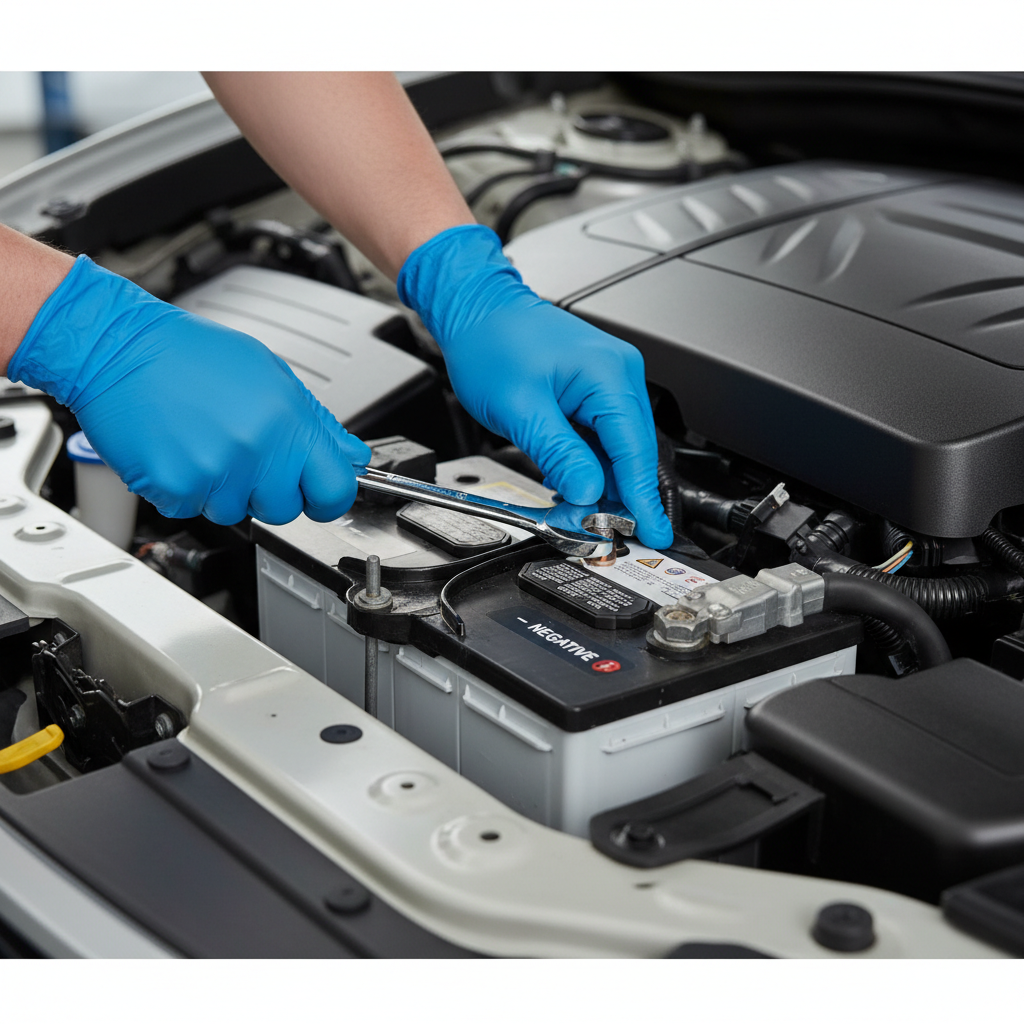
What you’ll want on hand
- Correct replacement battery (group size, CCA rating, terminal layout)
- 10mm wrench or socket (common), plus any needed extensions
- Gloves and eye protection
- Memory saver device and power source, or a safe auxiliary 12V source
- Small wire brush or terminal cleaner (optional but useful)
1) Confirm codes, settings, and battery type before disconnecting
Check the owner’s manual for any radio/security code procedure. Also confirm whether your vehicle uses an AGM battery, because replacing AGM with a cheap flooded battery can create charging issues in some cars.
2) Connect your memory saver the right way
- OBD method: plug into OBD-II port, then connect to its power supply, confirm indicator lights show active power.
- Jump-post method: connect positive to the positive post, negative to the chassis ground point specified for jumping, then confirm stable connection.
Keep the key off, accessories off, doors closed if possible, and avoid turning anything on mid-swap. A sudden draw can dip voltage and still reset memory.
3) Remove battery cables in the safer order
- Loosen and remove negative (-) terminal first.
- Then loosen and remove positive (+) terminal.
That order reduces the chance of a short if your tool touches metal.
4) Swap the battery
- Remove the hold-down clamp.
- Lift the old battery straight up, batteries are heavy so watch your back.
- Clean visible corrosion on terminals and clamps if needed.
- Install the new battery, confirm it sits flat and secure the hold-down.
5) Reconnect cables and verify
- Connect positive (+) first, tighten snug.
- Connect negative (-) second, tighten snug.
Then disconnect the memory saver. Start the car and check radio presets, clock, and any warning lights.
Table: common methods compared (so you don’t overthink it)
This is the quick decision view most people actually need.
| Method | What you plug into | Works when | Watch-outs |
|---|---|---|---|
| OBD-II memory saver | OBD-II port | Most cars, straightforward swaps | Loose plug, voltage drop if power source weak |
| 12V socket saver | Cigarette lighter / accessory port | Socket stays powered with key off | Often not powered, fails silently |
| Aux power at jump posts | Under-hood jump terminals | Trunk batteries, picky electronics | Polarity mistakes, clamp slippage |
| No memory supply | Nothing | You don’t mind resetting settings | Presets, clock, and learned values may reset |
Common mistakes that still make you lose presets
Even with the “right” tool, a few small choices can cause a reset. These are the ones I see most often.
- Power source too weak: a dying 9V battery style saver can drop voltage mid-swap.
- Opening doors and waking modules: interior lights, infotainment wake-ups, and keyless systems can spike draw.
- Taking too long with battery out: most memory saver setups tolerate a normal swap, but a long delay increases risk.
- Clamp not tight: a momentary disconnect is enough to wipe presets.
- Replacing AGM with non-AGM: not directly about presets, but can lead to charging warnings and weird behavior later.
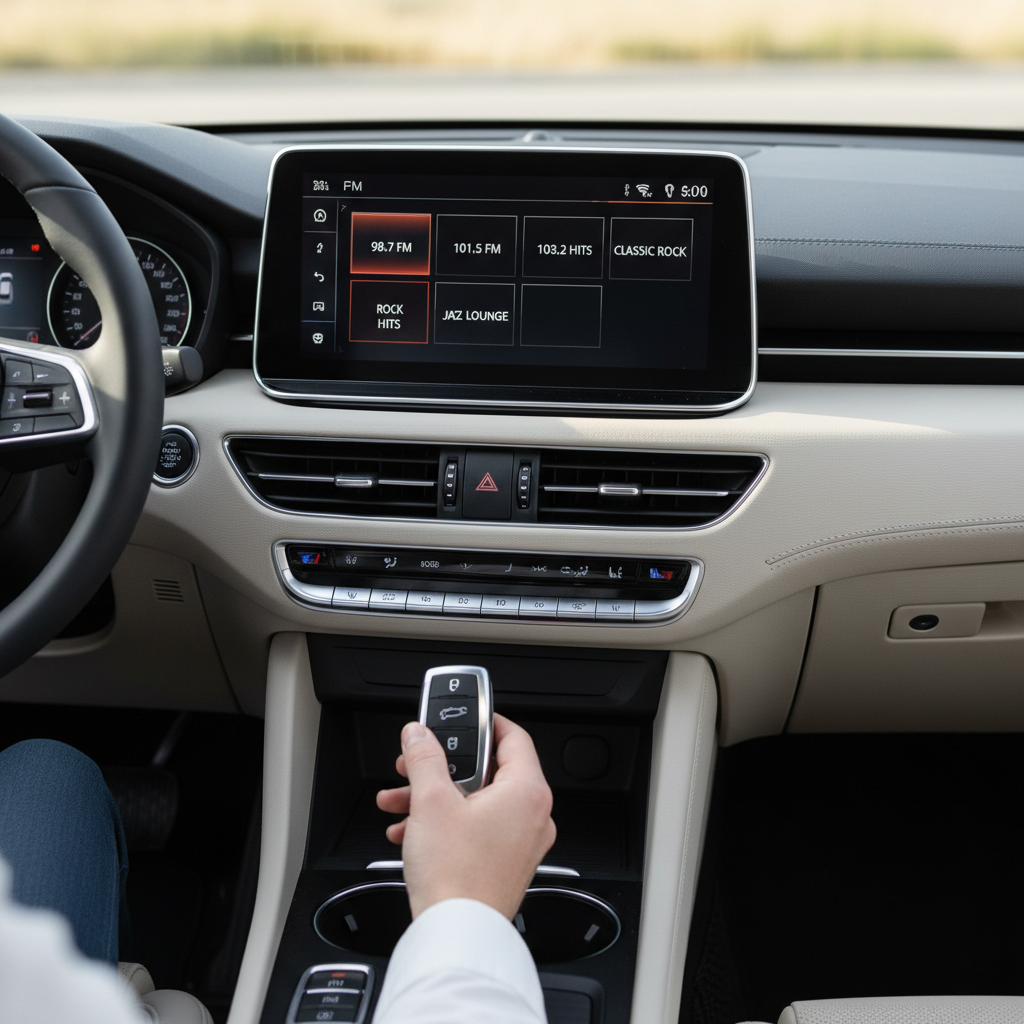
If you already lost presets: quick recovery checklist
If your presets disappeared anyway, don’t assume something is broken. Many cars simply reset and need a few small steps.
- Reset the clock and re-save stations.
- Re-pair Bluetooth, delete old entries if pairing fails.
- Initialize windows if one-touch stops working, many cars require holding the switch up for a few seconds at full close.
- Turn the steering wheel lock-to-lock slowly if a steering angle light appears, some cars relearn after a short drive, but follow your manual.
- Check for a radio code if the head unit shows “CODE” or “LOCKED.”
According to AAA, battery service and proper installation practices matter for reliability; if you’re seeing repeated resets or no-start issues after a new battery, it may point to a connection problem or the wrong battery type.
When it’s smarter to get professional help
Swapping a battery is often a DIY job, but a few scenarios justify a shop or mobile tech, even if you’re comfortable with tools.
- Battery registration required: some vehicles need the new battery “registered” in the car’s computer to manage charging correctly.
- High-end infotainment/security lockouts: if you’re unsure about codes, you can save time by letting a pro handle it.
- Corroded terminals or damaged cables: forcing parts can create intermittent power loss that looks like “electrical gremlins.”
- Hybrid/EV systems: they still have a 12V battery, but procedures vary, consult the manufacturer or a qualified technician.
Key takeaways before you pop the hood
- Keep steady auxiliary power if you want to avoid a reset, a memory saver or jump-post supply usually does the job.
- Disconnect negative first, reconnect negative last, it reduces accidental short risk.
- Minimize module wake-ups by keeping doors closed and accessories off.
- If presets still wipe, it’s often recoverable with simple re-setup steps.
If you want the simplest next step, pick a memory-saving method that matches your car, set everything up before loosening a terminal, and keep the swap efficient, that’s what most people miss when they try to do this “real quick.”
FAQ
Will disconnecting my car battery always erase radio presets?
Not always. Some head units retain presets longer than others, and a few vehicles have backup capacitors, but many will reset as soon as keep-alive power drops.
Is an OBD-II memory saver safe for all cars?
Usually safe when used correctly, but compatibility varies. If your manual warns against powering systems through the OBD port, use jump posts or a professional service.
Can I use a 9-volt battery to keep the presets?
Some memory saver kits use a 9V source, but in practice it can be marginal if the car wakes modules or the battery is weak. A stable 12V supply tends to be more reliable.
What if my car battery is in the trunk, does the process change?
The cable order stays the same, but access is the challenge. Many cars provide under-hood jump terminals, using them for a memory supply can be easier than working in tight trunk compartments.
Do I need to “register” a new battery to keep presets?
No, registration is more about charging strategy than radio memory. Still, if your vehicle requires it, skipping registration can cause future battery life or charging issues.
Why did my dashboard lights come on after the swap even though presets stayed?
Some warning lights appear temporarily after power interruption or voltage changes and clear after a short drive cycle. If lights persist, check connections first, then consult the manual or a shop.
What’s the fastest way to restore everything if I lost memory?
Start with basics: reset clock, re-save stations, re-pair Bluetooth, then address any convenience features like one-touch windows. If the radio asks for a code, you’ll need the official source for that code.
If you’re trying to keep your settings intact and you’d rather not gamble on whether your car will wipe memory, using a compatible memory saver and following a clean disconnect and reconnect routine is usually the most straightforward, low-drama route.